


Bananimate
0.00.00 Reviews
App Specs
- Version
- 2.4.1
- Updated On
- License
- Free
- Downloads
- 50,000+
- Developer
- vanhtt
- Categories
- Art & Design
- Platform
- Android
Screenshots
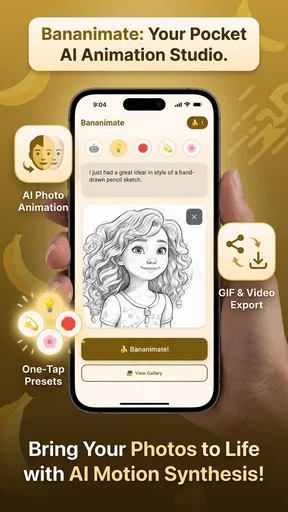
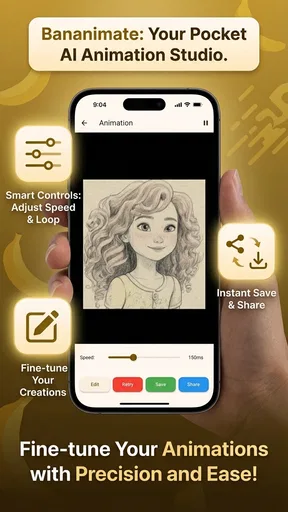
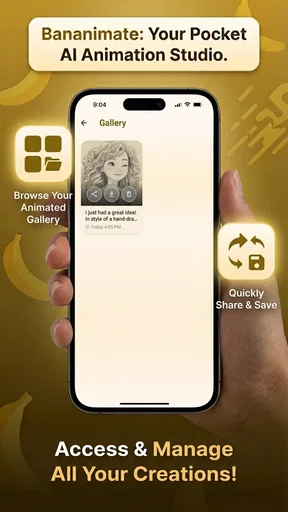
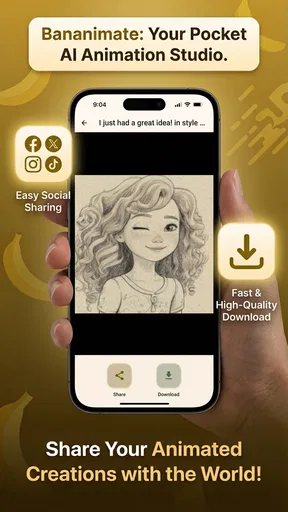
 Analysis by AppCompare
I tend to judge an animation app by the distance between an idea and a shareable result. A still image can be charming on its own, but a little movement can make it feel like a character, a reaction, or a tiny story. Bananimate is aimed at that quick creative leap: it uses AI to help turn a picture into an animated result, rather than asking you to build every frame from scratch. That makes it an appealing idea for casual creators, though it also means it serves a different purpose from a full drawing or animation workstation.
A quick route from picture to moving image
In everyday use, the appeal is easy to understand. You might have a pet photo that would be more fun with a hint of movement, a character sketch you want to bring to life, or a visual for a message that feels too static. Instead of learning a traditional timeline first, you can start with an image and see what an AI-assisted animation approach can do with it. I’d treat the result as a creative starting point, not as a promise that every source picture will move exactly as imagined.
That distinction matters. A strong source image gives the app a clearer subject to work with; a crowded picture, overlapping figures, or details that blend into the background can leave less room for a convincing transformation. Before trying to animate something important, I’d choose a simple image with one obvious subject and a clean outline. It is a small preparation step, but it can save time and help you decide whether the app’s style suits the idea.
Where it fits among art apps
As an Art & Design app, Bananimate sits closer to playful image-making than to a conventional frame-by-frame studio. Traditional animation tools give you detailed control over individual drawings, timing, and motion; that control is useful when consistency is essential, but it takes patience. A still-image animator offers a faster route to experimentation, with less manual construction and more dependence on how well the source image translates. I would choose the latter for a quick social post or a playful personal project, and a full animation editor when I needed precise movement or a carefully planned sequence.
It is also worth separating animation from general photo editing. A photo editor is the better choice when the main job is cropping, correcting color, or retouching a picture. Bananimate’s distinctive purpose is to add a sense of motion, so it makes most sense when movement is the point. If you only need a polished still image, using an animator may add an unnecessary step.
Getting Started with Bananimate
The moment you download Bananimate, you’re greeted with a friendly interface that feels both intuitive and inviting. I’ve tried my fair share of animation apps, and let me tell you, this one gets it right. No steep learning curves here, folks! It’s as if the developers knew exactly how to make animation approachable for everyone.
Once you’re in, the app guides you through the basics with a quick tutorial. It’s straightforward and perfect if you’re just dipping your toes into animation waters. The layout is clean, with all the essential tools just a tap away. You can start creating animations in minutes, even if you’ve never done it before.
Worth Reading Before You Choose

EA SPORTS FC Mobile 26 Is a Bigger Football Game, but It Takes Time

Flipboard Shows What News Apps Must Do Beyond the Feed

Switching to Android Auto Means Rethinking Your Driving Routine

Google Calendar Makes a Crowded Week Easier to Manage

Ludo King Makes the Most of the Minutes Between Plans

Baby Panda World Brings Quick Play to Modern Phones, but Its Game Library Feels Busy
Features That Make You Go Bananas
Now, let’s dive into the features. First off, the drawing tools are top-notch. You get a variety of brushes and colors that let your creativity run wild. What really impressed me is the onion skinning feature. It’s a classic tool for animators, allowing you to see multiple frames at once so you can smoothly transition between them. I found this particularly helpful for keeping my animations fluid and cohesive.
Another standout feature is the layer system. It’s incredibly easy to manage different elements of your animation without getting lost in a sea of layers. Trust me, it’s a lifesaver when you’re working on something more complex.
And for all you perfectionists out there, the frame-by-frame editing is a dream. You can tweak every little detail until it’s just right. I spent hours playing around with this feature, and it’s honestly addictive.
Sharing Your Creations
What’s the point of creating awesome animations if you can’t show them off, right? Bananimate makes sharing your work super easy. You can export your animations in various formats, perfect for sharing on social media or sending to friends. Plus, the app’s community feature lets you connect with other animators, exchange ideas, and get inspired. It’s like being part of a vibrant, creative community.
That kind of sharing is most useful when you have a specific destination in mind. For a group chat, I’d keep the motion simple and the subject large enough to read on a small screen; subtle details that look fine while editing can disappear once the animation is viewed at a glance. For a social post, I’d preview the export on the device where I plan to share it, because a composition that feels balanced in the editor may be cropped or displayed differently elsewhere. The practical lesson is to make a short test before investing time in a more elaborate piece.
A useful workflow is to keep an untouched copy of the original picture, then experiment with a duplicate or a version prepared specifically for motion. That gives you a clean fallback if the animated treatment changes the image in a way you do not like. It also makes it easier to compare the still and moving versions and decide which communicates the idea better. I would avoid using a treasured photo as the only source file in any editing workflow.
Performance and Usability
In terms of performance, Bananimate runs smoothly on both Android and iOS. I didn’t experience any lag, even when working on more intricate projects. The app is designed to handle the demands of animation without slowing down your device, which is a huge plus.
For a first project, I would keep the goal modest: one clear subject, one intended mood, and a result short enough to judge quickly. That makes it easier to tell whether the motion feels natural or distracting. If the first attempt misses the mark, changing the source image may be more effective than repeatedly adjusting the same idea. This is a useful trade-off with AI-led creative tools: they can shorten the making process, but the input still shapes what comes out.
People often wonder whether this kind of app is suitable for serious animation work. I see it as a companion for concepts, playful experiments, and lightweight content rather than a replacement for a production-oriented editor. If you need exact poses, controlled timing, or a character that must remain consistent across a long sequence, a conventional animation program gives you a more dependable framework. If you want to test whether a still image could become more expressive, an AI animator is the more convenient first stop.
It may also help to think about audience before starting. A funny reaction image for friends can benefit from an unexpected or exaggerated result, while an illustration for a client or a classroom presentation needs to remain legible and intentional. The same degree of motion can feel delightful in one context and distracting in another. I would use Bananimate for the former freely, then inspect every detail more carefully when the animation represents someone else’s work or message.
Cost, access, and who should try it
Bananimate is a free app from developer vanhtt, with in-app purchases ranging from $0.29 to $9.99 per item. I’d begin with the free experience and only consider paying after identifying a specific limitation that affects a project. That is a better approach than buying options in advance, especially if you are still learning whether AI-assisted animation fits your style. The app is rated for Everyone, has reached over 10K installs, and its current version is 2.2.1; it was released on February 9, 2026. It requires Android 7.0 or later.
Those details make it approachable for someone who wants to experiment without committing to a paid animation suite, but “free” does not automatically mean every possible workflow is included at no cost. I’d check the in-app purchase screen before relying on a paid capability for a deadline, and I would not assume an item is necessary until the free tools have had a fair trial. If your device is older, checking its operating system before downloading is a quick way to avoid an avoidable installation problem.
The best fit is a curious beginner, a social-media hobbyist, or someone who already has images and wants to explore a more lively presentation. It is less suited to artists whose main goal is to draw every movement themselves, or to professionals who need tightly controlled animation across multiple scenes. Those users may prefer a dedicated frame-by-frame editor, even if it takes longer to learn, because precision matters more than speed in their work.
What to watch as you make a project
Because the product is at version 2.2.1, I can describe that as its current version, but I would not treat the number by itself as proof of a particular improvement or a complete development history. For someone already using the app, the practical question is whether the current tools suit the next image they want to animate. If an update changes the interface or available options, take a moment to review the app before starting a time-sensitive project rather than assuming your familiar workflow is unchanged.
There are a few sensible questions to answer before you commit to a larger piece: does the result preserve the subject’s identity, can you get the motion you want from your chosen image, and does the export work for where you plan to use it? A quick trial with a nonessential picture can answer those questions more reliably than guessing. I’d also save the original artwork separately and keep expectations flexible; the value here is rapid exploration, not guaranteed frame-perfect control.
One non-obvious use is making a small batch of alternatives for the same idea. Rather than trying to perfect the first output, I’d test a few different source images or crops, then choose the one that communicates most clearly. This turns the app into a visual sketchpad: it can help you decide whether a concept has potential before you spend time polishing it elsewhere. The trade-off is that rapid experimentation can produce results that are fun but not consistent enough for a carefully art-directed series.
Final Thoughts
So, is Bananimate worth the download? Absolutely! Whether you’re an aspiring animator or just someone looking to have a bit of fun, this app delivers on all fronts. It’s packed with features that make animation accessible and enjoyable, without compromising on quality.
My recommendation is a little more specific: try it if the idea of adding movement to an existing image sounds enjoyable, and approach the first result as an experiment. If you need complete control over every pose or a polished sequence with consistent motion, choose a traditional animation tool instead. For quick personal creations, visual jokes, and early concept tests, Bananimate offers an inviting way to get moving without beginning with a blank timeline.
Give it a try, and who knows, you might just unleash your inner animator. Happy animating!
Pros
- User-friendly interface for beginners.
- Wide range of animation tools.
- Supports multiple file formats.
- Regular updates with new features.
- Responsive customer support.
Cons
- Limited free version features.
- Occasional app crashes reported.
- High system requirements.
- In-app purchases can be pricey.
- No offline mode available.
FAQs for Bananimate
What is Bananimate, and what can I do with it?
Bananimate is a user-friendly animation app designed for both beginners and professionals. It allows users to create engaging animations using a variety of tools and features, such as frame-by-frame editing, layering, and customizable brushes. The app supports exporting animations in multiple formats, making it ideal for content creators and hobbyists alike.
Is Bananimate compatible with both Android and iOS devices?
Yes, Bananimate is available for download on both Android and iOS platforms. It is optimized to work seamlessly on a wide range of devices, ensuring smooth performance and an intuitive user experience. Whether you're using a smartphone or tablet, Bananimate delivers consistent functionality across both operating systems.
Does Bananimate offer any tutorials or support for beginners?
Absolutely! Bananimate provides a variety of tutorials and tips within the app to help new users get started. These resources cover everything from basic animation techniques to advanced features, ensuring that users of all skill levels can fully utilize the app's capabilities. Additionally, users can access community forums for further support.
Are there in-app purchases or subscriptions in Bananimate?
Bananimate offers a free version with a comprehensive set of features. However, for those looking to unlock additional tools and content, there are optional in-app purchases and subscription plans available. These enhancements provide access to premium brushes, advanced export options, and exclusive tutorials, enhancing the overall animation experience.
How does Bananimate handle data privacy and user security?
Bananimate takes user privacy and security seriously, implementing robust measures to protect personal data. The app requires minimal permissions and ensures that all user data is securely stored and not shared with third parties without consent. Regular updates are provided to maintain security standards and address any vulnerabilities.


